A Text-Based Adventure? – Part 3

In this part, I’m going to highlight the structure of the Core Game and how that works.

Core Game Structure

As a refresher: the core engine, called Penguin Core, contains all the mechanics for text parsing, game state and traversal. It also contains the entities used to represent the game world. It is a .NETstandard 2.1 project (.NET 6 wasn’t here when I started it).

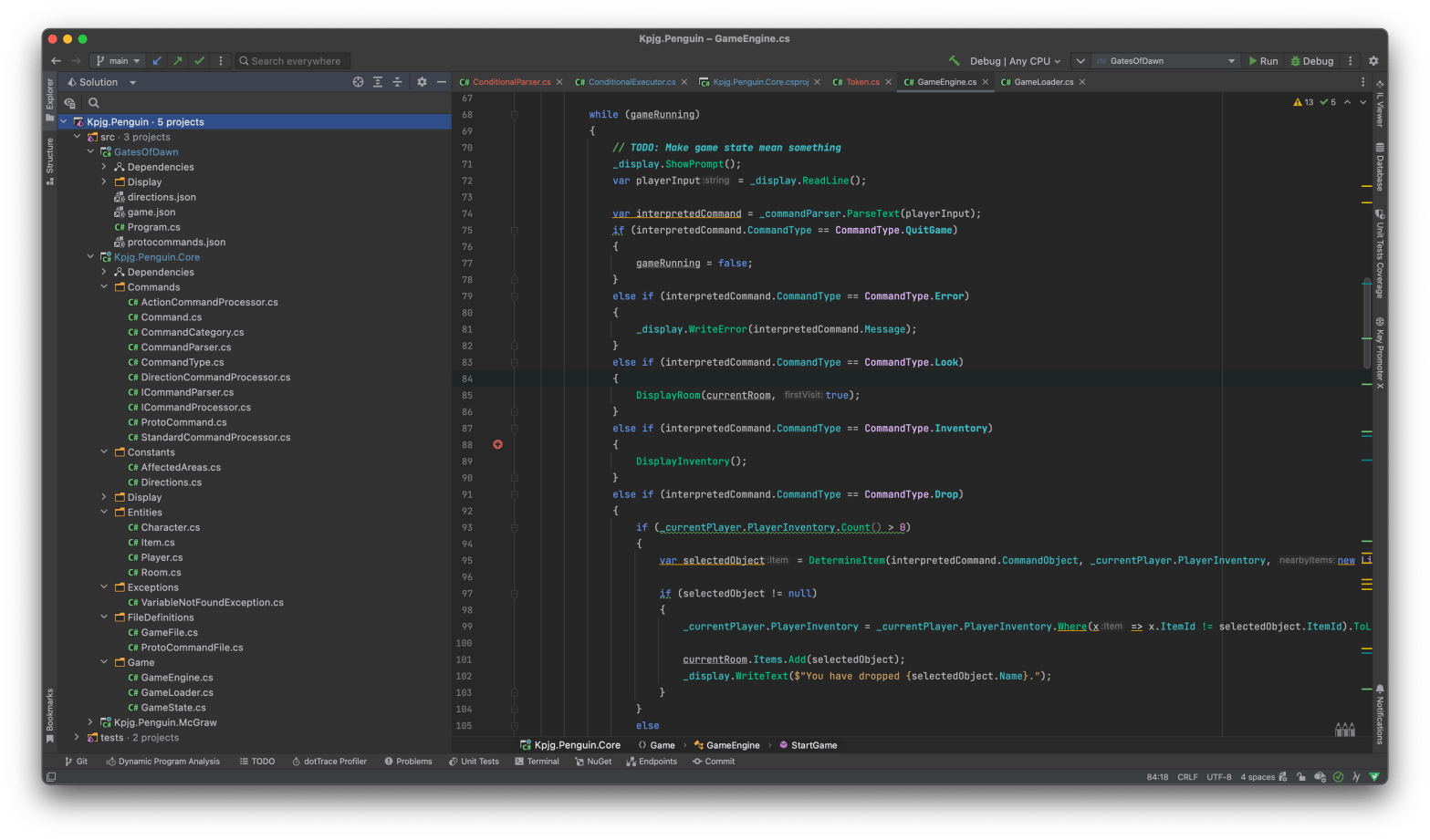
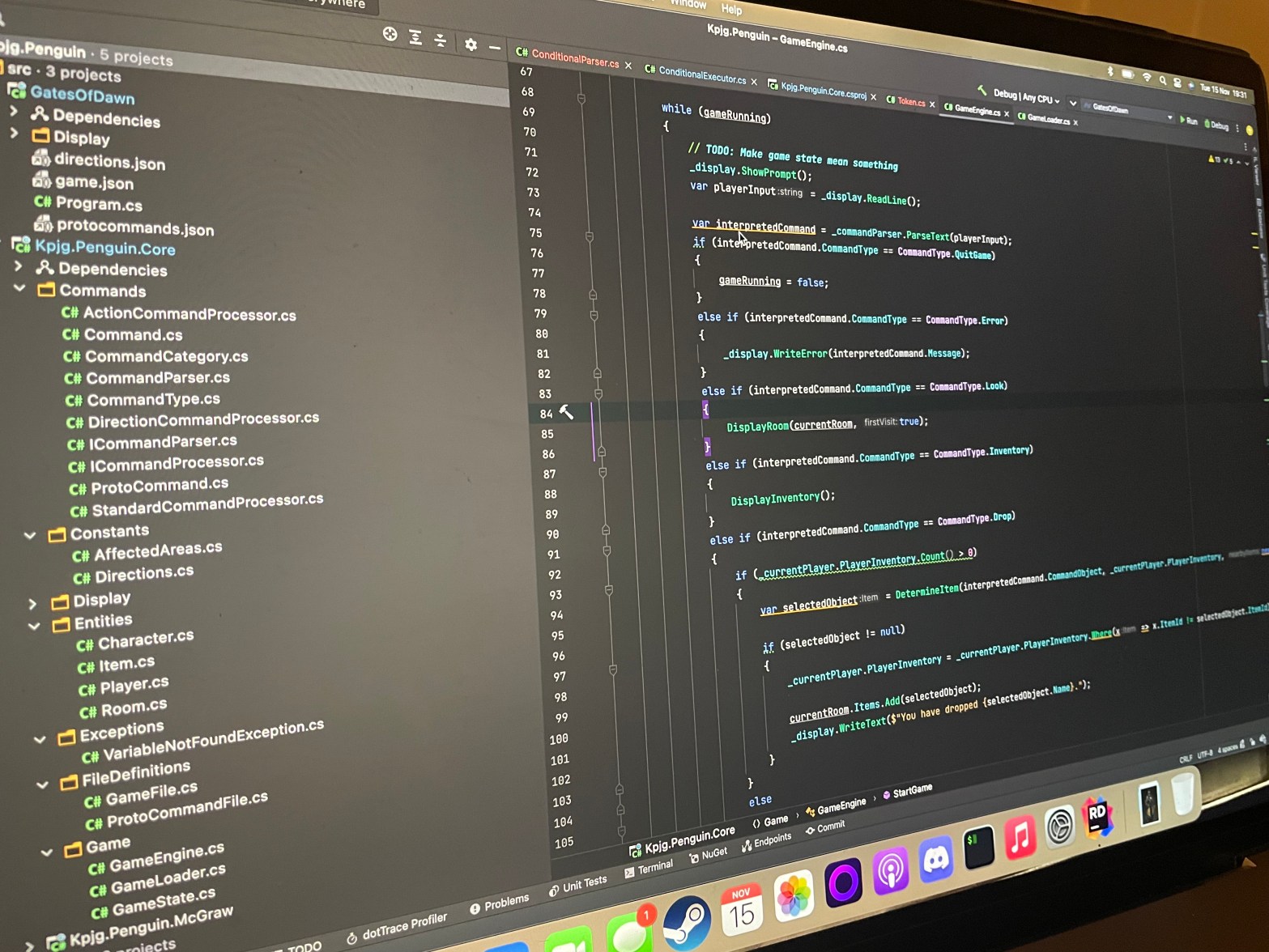
As with all of my projects, files are organised based on what they are. So Commands, Constants, Entities, Exceptions, FileDefinitions and the ever helpful “Game” folder.

Game

The Game Folder contains the heart of the engine. It has the Game Engine itself, a class that represents the Game State, and the Game Loader that knows how to turn the json and script files into a real game.

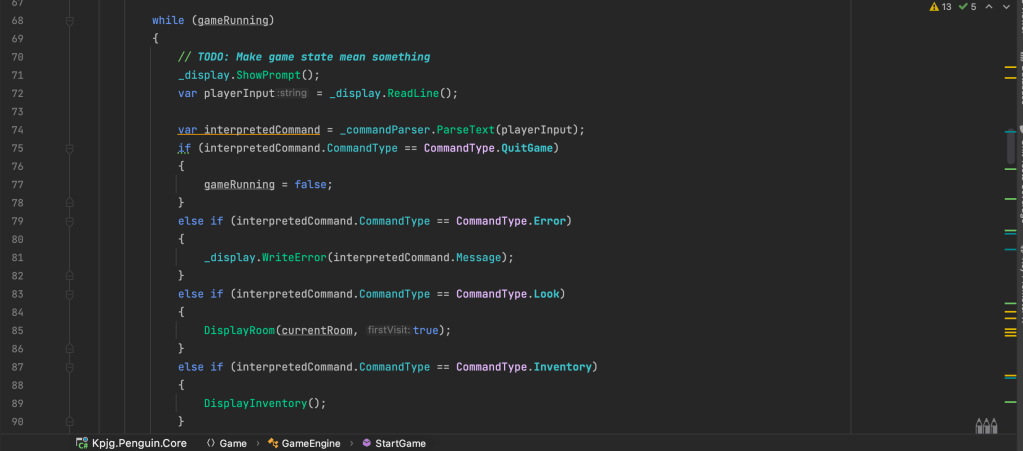
Most games follow a pattern of accept input, update game state, display. This game is no different in some ways, although accept input is a blocking operation. Nothing happens “in the background” on this game (it’s not a MUD, however much I want it to be). The GameEngine class implements this game loop.

The idea is that you have you game-specific code that creates a new instance of the GameEngine, giving it an instance of IDisplay that is how you want data to be shown on the screen. It also requires an implemented ICommandParser (one of which is available within the Core Project) that is used to turn text into game actions.

The Game Loader is responsible for parsing the Json file and converting it into game entities. The game loader also parses the game scripts into IExecutors, the “compiled” form of the raw script, making sure that we’re not performing this interpretation of the scripts on the fly. (Note: it is an assumption on my part that this will be slow, as scripts are evaluated on every “turn”).

Finally the GameState is a Script Engine compatible variable bag that can be given to the script engine to have the global variables updated, but it will also have some of its own game logic in there as well (I haven’t decided what yet).

Entities

The other set of elements I’ll cover today are the Entities in the game, this is how we represent the game world.
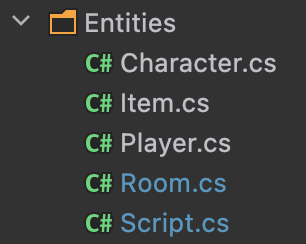
It’s kept very, very simple. Starting with the obvious one, Rooms, these are the locations a player can be within. A room can contain items and characters. A room has exits (north/south/etc). A room has a description and a quick description for when you’ve already visited it and don’t need the flowery text anymore. Rooms have names, and Ids. Finally, rooms also have scripts for certain scenarios: on entry (or on first entry) and on leave. These scripts should be able to prevent the player from leaving based on “some thing” being true.

Items can either be in rooms or in a player’s inventory. As an extension, I’d like characters to have items in the future and be able to give them to players or be steal-able (dependent on the game, of course).

Items are special, however, as items can have special actions done to them. These actions are defined in a protocommands.json file, which (again) I’ll go through in the future, however suffice to say it means you can have custom commands for items such as lick, punch or tear if you so wish it.

The player is an extension of a character, the difference being a player has an inventory.

Script objects are used to have the ScriptLocation within it and the compiled executors. It’s mostly a DTO for use within other objects.

Progress Update

This last week’s been quite a good one for progress. I’ve integrated the scripting engine into the core game engine, so now every time the world updates “global scripts” will run. The next elements I need to add in are the onentry/onleave on rooms, as well as potentially “on leave in direction” which would mean you can’t go a certain way unless you fulfil specific criteria.

I also believe that I’ll need to make characters talk, or make things be said by the “narrator” when you try and move north and you don’t have an apple in your inventory.

I’m also looking to get this code up on Github soon so you can see my progress as I do it. I currently host it in a private bitbucket repo, however I don’t intend to release this game or make money on it. It’s all for fun.

Next time I’ll cover the text parser and custom actions.
A Text-Based Adventure? – Part 2

In this second part of this series on my text-based adventure, I’m going to cover the scripting language: what it is and why did I do it?

Background

As mentioned in the previous post, I originally had no intention on writing a full on scripting language. As I had initially created an engine that would allow for rooms, items and actions to exist, I realised there was no game state, and that I had to way of changing the state of the world based on either triggers and variables. Almost all games have the concept of a world or game state, with some variables that are checked to evaluate if, for example, the game has been “won” or for more complex games, whether a series of variables or conditions are true to trigger some pre-scripted event (I’m oversimplifying here). If I didn’t have some means of doing this, my game would be a walking simulator. A text-based walking simulator.

In order to allow some interactivity in the world and have a story that allowed for some branching paths I would need some way of saying “when this happens do this”.

I could have integrated these elements into the C# code. Created a fully scriptable game where the rooms are defined in C# as is the “what do you do when this happens” however that didn’t fit with my idea of a re-usable engine where the game executable had display logic but the game itself was in separate files that could be modified without need a recompile of the binaries.

First Idea

My first Idea was to have some json structure that allowed for basic conditionals using a variable bag. For example:

{
  "onenter": [
    {
      "condition": "eq",
      "leftbit": "somevariable",
      "rightbit": 23,
      "then": {
        "print": "Oh no!"
      }
    }
  ]
}

This, to me, felt incomplete and a bit messy. I was trying to get json to do things that start to become unreadable, especially with larger expressions. I wanted something that a developer could recognise and use. I liked the idea of tokenising the expressions in the code into some format like the above, but I felt that if I were to do this, I’d want even more power and something that could be re-usable in other projects.

The Options

I had a number of options open to me when building out the scripting engine. The first option was to use an existing language and integrate it into my game. For this three things came to mind: Lua, Python and C#.

Lua – This option felt the best of the bunch. I liked the idea of integrating this well-rounded language. I had toyed with Lua before in very basic situations, however that was in C++. I’d never tried it in C#.

Python – As I’m rather a fan of python I considered using it as a scripting language. It works well, but I wasn’t sure of how to get started as having python embedded within C#. This option was quickly off of the table.

C# – I could also use C# itself, writing C# that is called within the C#. This was a thing I thought could cause the most problems, as without careful consideration there might be security considerations which, at this time, felt way above my pay grade.

My final thoughts on the matter were that I’m writing this game as a fun programming exercise, not to have something perfect or indeed marketable. By creating a finished product I will have the satisfaction of having completed something, however.

Syntax

So far you can achieve three things in the scripting language.

Setting a variable in the global variable store

SET Some_variable "hello"

Passing printable output back to the executor

PRINT "Hello"

Finally, a conditional:

IF Some_variable = "hello"
  SET New_variable = "dogs"
END IF

Testing

All tests in the project are Integration tests at this time. This was a deliberate decision to have these over unit tests as, from the outset, I wasn’t aware of what units I needed.

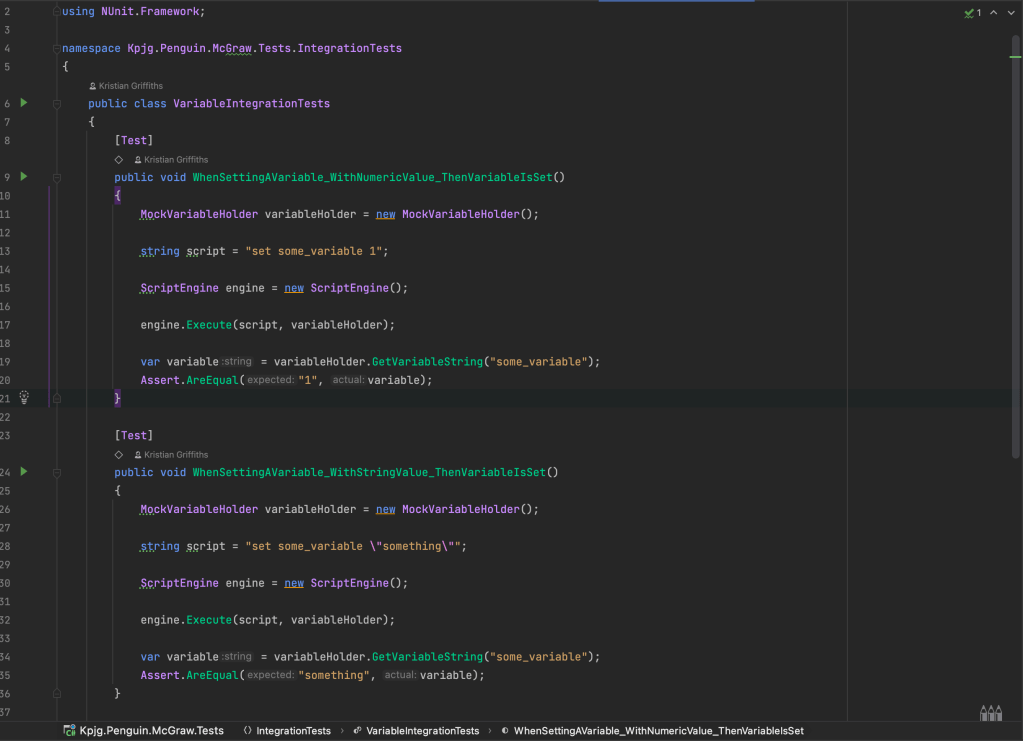
Integration tests are using nUnit, and follow the standard Arrange/Act/Assert pattern. Shown in the picture above are the Integration tests for the Set Variable operator.

These tests have proven invaluable to the development of the system, as these scripts get evaluated with an implemented variable bag, and minimal mocks. The setup of the items is done for real, with no mocks. This is to ensure the script evaluation is as real as possible.

Each of the three current operators have an integration test file. The test files also build on the previous ones. So SET VARIABLE relies on itself, PRINT relies on SET VARIABLE, as it is possible to print a variable to the screen, and IF relies on the other tests as variables have be set before they are evaluated.

Conclusion

Being honest, I’m still not sold on the idea of having my own Script engine. I’ve reached the part of this work that it’s starting to grind and I’m wondering if it’s too late to bring in Lua. I’ll power on as I think this makes it a much more interesting academic exercise and I recall, when I had first tried Lua, there was a really good reason.

I’ve not made any more progress this week than I had last week, however my intention over the next few weeks is to get the script engine finished and then start to implement some tooling to help myself build the game as at the moment I don’t think just having Json files is a good idea. I might want to extract the script files into their own thing and, importantly.

A Text-Based Adventure?

I’ve always been enamoured by Text-Based adventures. When I started my voyage into the world of programming at age 9, I started writing one using QBasic. I had no idea what a text parser was, each room was a subroutine in its own right, and as I made many mistakes I slowly learned how to program.

Then, many years later, I got a chance to play Westfront PC: The Trials of Guilder. It’s strange game, to say the least, but I loved it. The colours, the scope! There was a combat system; NPCs walked around. I had no idea what I was doing but I loved doing it.

That brings me to the present day. I have many side projects that I’ve pottered away on over the years, but one I’ve been revisiting with an idea to finishing it is a project I call Penguin (I name all of my projects after birds).

I’m assuming, from this point on, that you know what a text-based adventure game is, however if you don’t I’d recommend checking out Zork, or my absolute favourite by Emily Short: Counterfeit Monkey

The Goal

My initial goal was to write a text-based adventure on its own. No special engine, no re-usability, just tell a story. However as usually happens I thought: why not make an engine so you can make MANY text-based adventures. So the challenge was set and the goal became:

  • Create re-usable text-based adventure engine agnostic of the platform it runs on (Penguin)
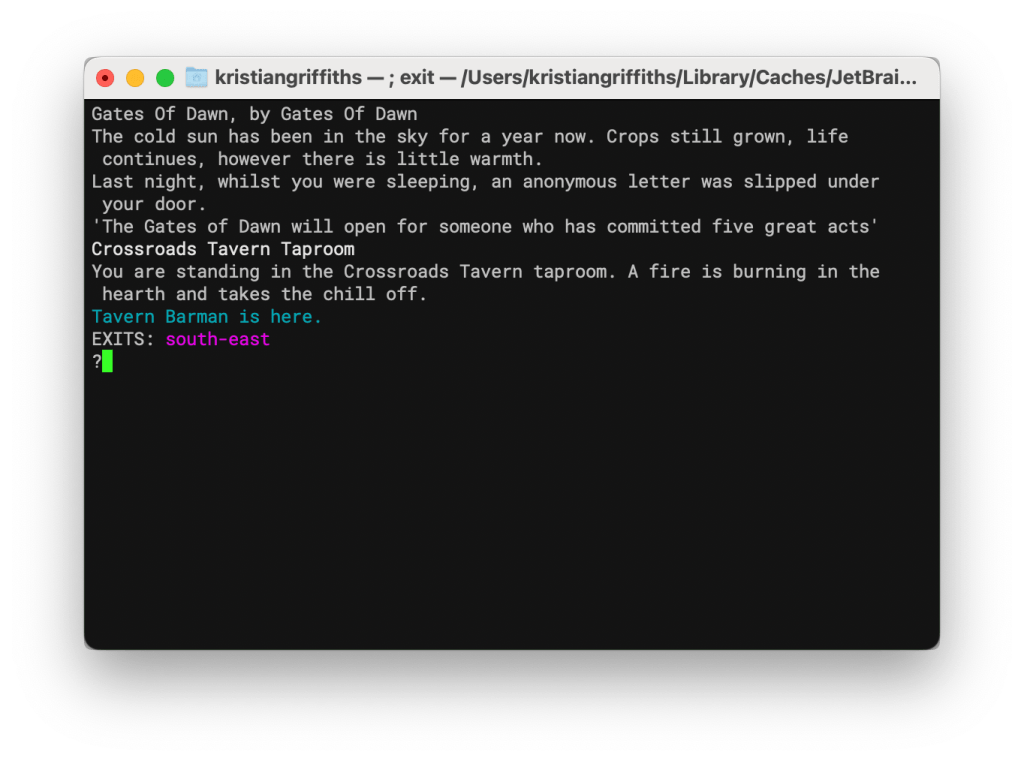
  • Create a game (Gates of Dawn) that runs on that engine and implements the front end in a C# console application
  • Ensure the game description language was human readable

Why not use Inform?

There’s already a really good (if not great) language and system for writing text-based adventures called Inform. Inform has language, IDE, design system, pretty much everything you need for producing top-class text-based adventures. Inform uses a near-natural language system for creating rooms, objects, story, etc.

The main reason I chose not to use inform is nostalgia. I spent most of my youth trying, and failing, to write one text-based adventure that was playable. I relied solely on the help files of QBasic to teach me about programming but I was lacking in some of the core concepts. Now as an adult and someone who has done software development in the past, I thought I should be able to have a good go.

Structure

As previously mentioned the Penguin System is centred around the concept of a re-usable engine, so to make a game in Penguin involves a game library (in this case I’ve called it Gates of Dawn) and the engine itself.

The .NET solution has 4 parts to it:

  • The game engine – Penguin
  • The script engine – McGraw
  • The game itself – Gates of Dawn
  • Unit tests

The game engine handles taking input, changing the world state based on that input, then telling the display implementation what to know on the screen. The engine can also call the scripting engine to evaluate scripts where needed.

The scripting engine handles evaluations that will produce output (either setting world variables or producing some output that’s intended to go the screen). The script engine has a whole host of things going on (and still in development at the moment) but the intention is for it to be able to handle a simple syntax.

The game portion contains the game data, any special commands the game has on top of the “standard” commands (and how to handle them). The game is also responsible for the implementation of the display engine. The current game implements the display engine as a console application, however the intention is for this to potentially be ported to MonoGame to allow for more interesting graphics (much like Inform and some game engines allow).
Games are (currently) json format and there is no plan to change that at this moment. The intention is, potentially, for someone happy enough to write a game implementation completely in JSON without ever needing anything else.

Challenges?

The biggest challenge is one of scope. When I set out to make the game I hadn’t intended to create the scripting side of the project (McGraw). I had thought, if I’d needed it, I could do some kind of expression thing in the json. It became clear, though, that this idea was too simplistic and wouldn’t allow me to tell a decent story and achieve an engine that supported rooms, dialogue trees and battles.

I evaluated a number of ways of doing the scripting, from using Lua in C#, to using C# itself within C#. That latter seemed dangerous and the former was using a library that seemed to not be complete. This made me nervous that I would have to come up with my own engine, then my own syntax. This was scope creep and given my remit to make a text-based adventure game within a re-usable engine was a large one, I now have to start limiting myself.

Another challenge is one of testing. Unit testing and integration testing in the project has really helped make sure that some of the mechanics work well, but it doesn’t beat loading up the game and seeing what’s broken. To start with the parser didn’t work in the slightest, which made me happy as I would’ve been worried if it had worked first try.

Current progress

So far we have the parser in place, able to traverse room to room. Items can be picked up and read, as well as dropped.

The script engine has been started with a syntax decided upon. Only three things are in at the moment: setting a variable in the global variable bag, sending some output intended to go on the screen back to the engine, and a simple if/equality operation (with an else).

What’s next?

I need to integrate the scripts into the game itself, which means some design decisions have to be made, as well as looking into pre-“compilation” of the scripts.